What is a Cookie?
A Cookie is a text file of data. Just like usernames and passwords used to identify users and networks.
How do cookies work?
Whenever you open any website in your browser and log in to your account, your browser saves your login details in a file called a cookie file.
When you return to the website using the same browser, you will log in directly to your account without having to enter your login details, because your browser already includes your login details in the cookie file.
Note: Cookies are only effective until you log out of your account. Once you sign out of your account, the old cookies will no longer be used to sign in again.
What are Netflix cookies?
As I told you above, a cookie is a file that contains user data. Therefore, a Netflix cookie is a file that contains Netflix account login details (Netflix email and password).
Browsers use cookies to remember login details for websites. This thing is to make the user experience good.
The site uses cookies to detect user data such as emails and conversations so that users don't have to log in again and again. The website uses cookies to automatically log in to the website.
Cookies expire each time you sign out from that particular website. Therefore, if you use Netflix cookies to sign in to your Netflix account, please do not sign out.
Because once you log out, you will not be able to use the same cookie to sign in again, the cookie will expire and you will not be able to use it again.
Like any other website, Netflix also uses cookies to verify user details. When you sign in to a Netflix account, the browser will save your details, and when you return to the Netflix website, it will use these cookies to automatically sign in to your Netflix account.
How do I sign in to Netflix using Netflix cookies?
If you have a valid Netflix cookie, you can easily sign in to Netflix for free. Don't worry about Netflix cookies working Netflix cookies are added below.
To sign in to Netflix using cookies, you need to add an extension to your web browser.
Follow these steps to add an extension to your browser
Go to the Chrome Web Store and search for cookie editor.
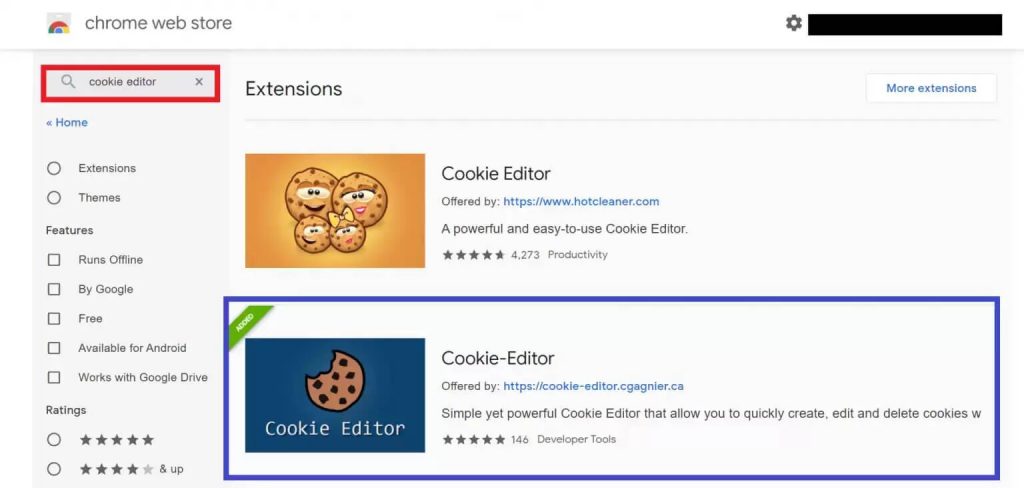
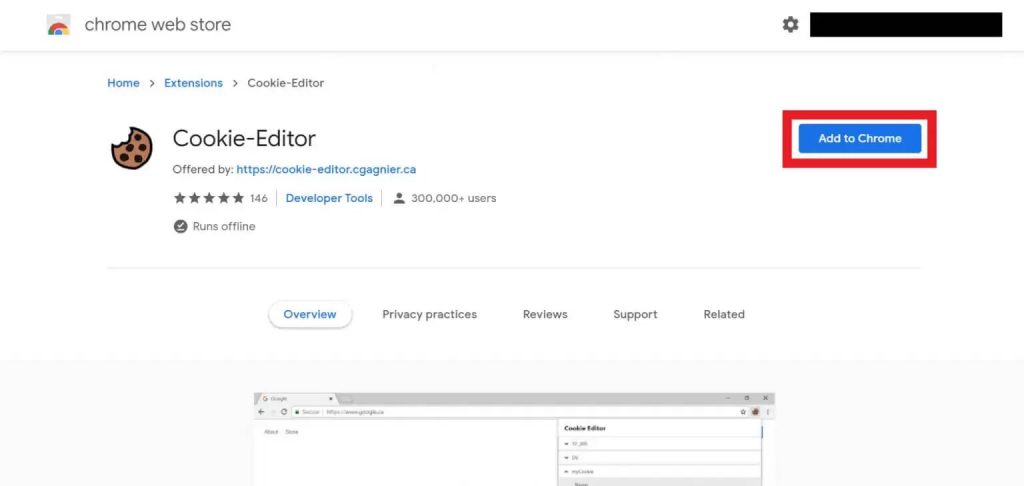
Click Add to chrome and the extension will be installed on your browser.
 That is, its extension is installed on your browser and is located in the upper right corner of the browser.
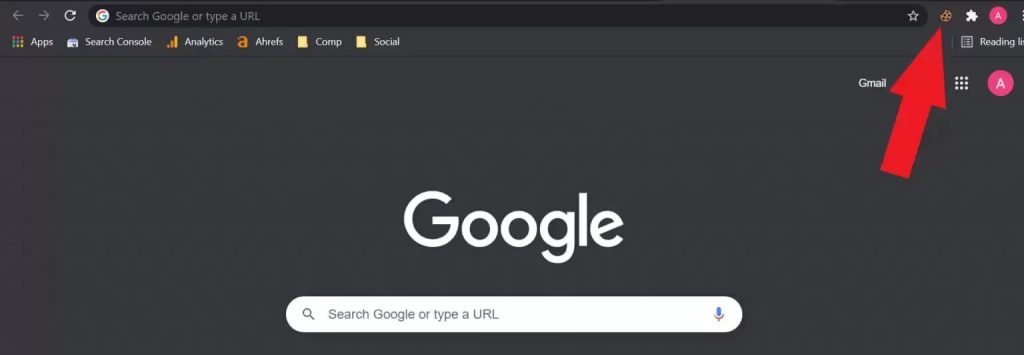
Now we have added the cookie editor chrome extension to our browser. After that, we need to insert a valid Netflix cookie into our browser.
To insert a Netflix cookie into your browser, follow these steps
Copy the cookie as shown below and go to the Netflix.com website.
After opening the Netflix website, click the cookie editor extension in the upper right corner of your browser.
Here you will see four options (Add, Remove All, Import and Export) you need to click Delete All to clear cookies on the Netflix website.
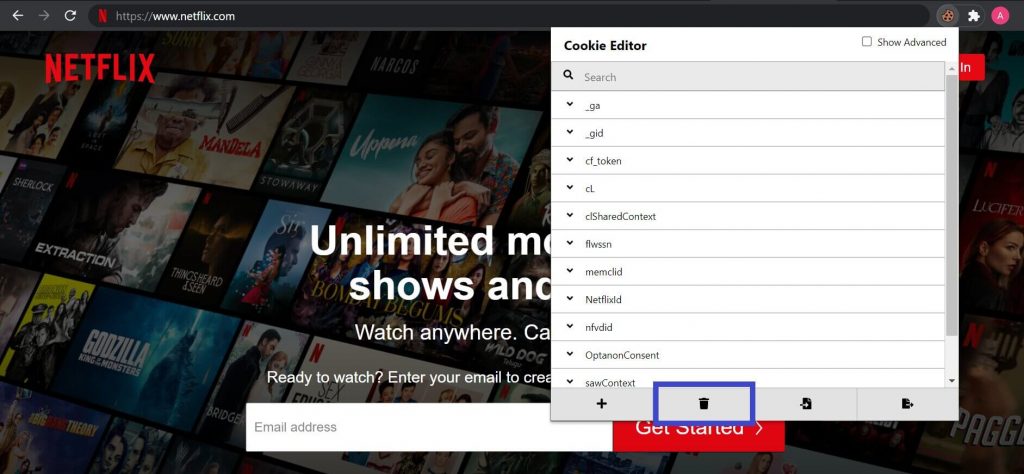 Now click Expand again, and then click the Import option.
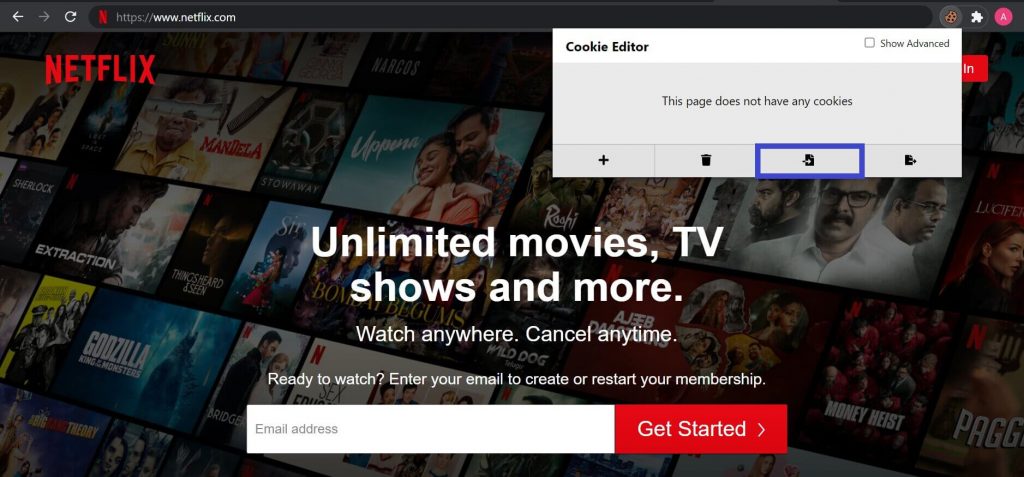 Paste the cookie into the given box, and then click Import again.
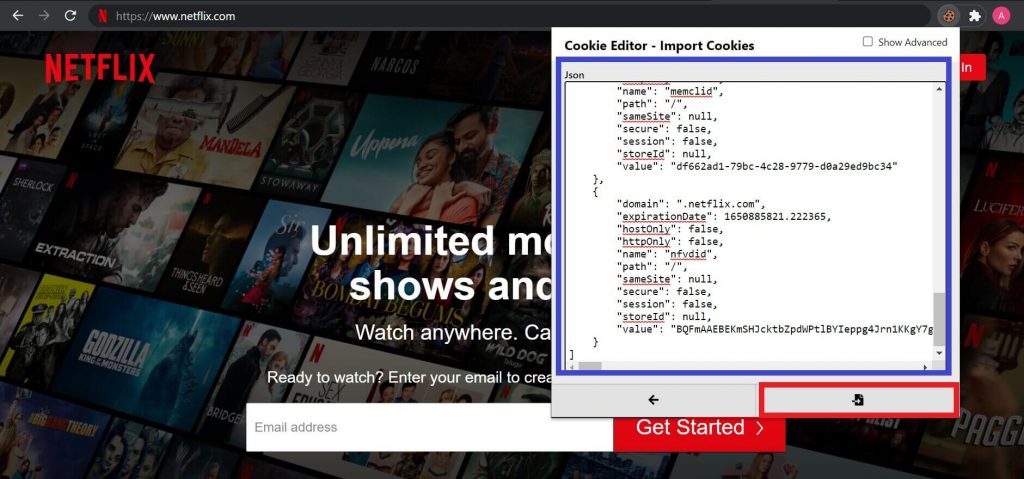 After that, just refresh the page to sign in to Netflix for free.